Are your SSL certificates not activating? Are your emails being blocked?… You might need to look at your DNS zone. To do this, you need to understand its purpose and functions.
Understanding My DNS Zone…
When you want to access a website, you connect to a domain name. For example, webo-facto.com, google.fr, wikipedia.org—the name you type into your browser.
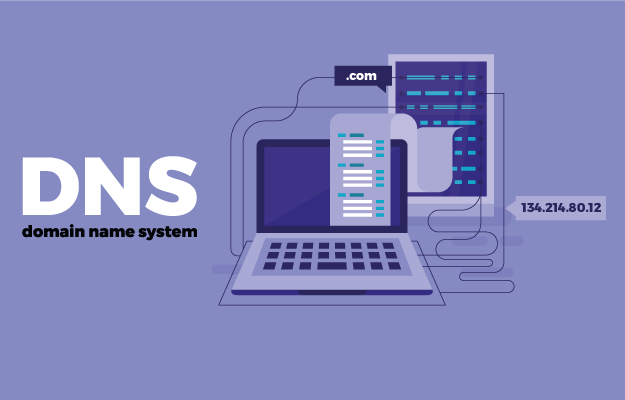
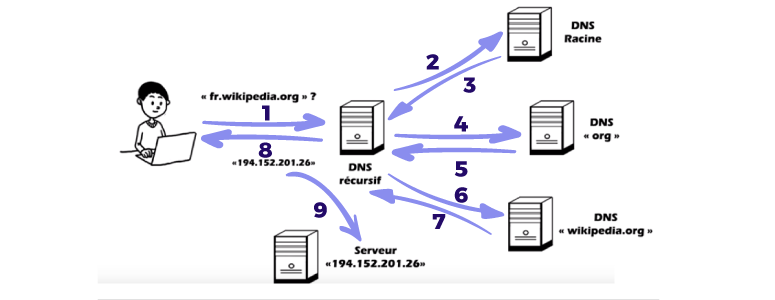
However, the browser needs to know not only the domain name but also which server to connect to; and therefore, the IP address of the server from which it will retrieve the web pages.
An IP address is simply an identification number assigned to each device connected to the internet; it’s a string of numbers.
For us, it would be complicated to remember each string of numbers, which is why we assign domain names.
This is where the DNS (Domain Name System) comes in; it translates the domain name into an IP address. But DNS can also link a domain name to other web functionalities such as email, another domain name, etc.
In short, DNS servers are simply responsible for matching and translating a domain name into an IP address or other records.

Note: A domain name can have multiple DNS zones with different registrars (Webo, OVH, etc.), but only one will be active.
Within a DNS zone, you can find different types of records. The main ones are: NS, A, CNAME, MX, and TXT.
The NS record acts as the “switch” that determines which DNS zone should be active.
The A record is MANDATORY for publishing a website; it links the domain name to the server hosting the site. This is where you enter the IP address.
The CNAME record is similar, except it points to another domain name, not a server. For example, a .fr domain to a .com domain, or all subdomains to the main domain.
The MX record specifies which email account to use, depending on the registrar hosting the email account.
Finally, the TXT record. It’s the Swiss Army knife of DNS records. It has many features, including:
- SPF sets rules for sending emails. For example, for a contact form to send emails to a server, you must tell SPF that the server authorizes sending.
-
TXT can also include a string of characters useful for certain external web services. The most common example is for companies that offer third-party solutions. Indeed, sometimes to connect their solutions to the website, you either have to upload a file to the FTP server or create a TXT record, which is mandatory in both cases to prove that you own the website.
How do I manage my DNS zone?
There are two ways to manage your DNS zone.
The first, if the domain name’s DNS zone is directly managed by a registrar (e.g., OVH), is to use a DNS tab where you can enter each record. The second is by creating and modifying it directly on the Webo-facto platform.
For your information, TTL (Time To Live) is the time it takes for the record to be sent, not the time it takes to become visible and active.
To see which DNS servers are active, log in to DIGWEBINTERFACE.COM.
Process:
1) Hostname: Enter the domain name(s) (one per line)
2) Type: Any
3) Click the DIG button